
How a Good Website Can Effortlessly Increase Walk-in Customers
How a Good Website Can Effortlessly Increase Walk-in Customers
If your store is on a busy street but your website is not driving much traffic, then you’re leaving money on the table.
Most people check your business’s online presence before entering your store or business. A good website consistently sends more people to your physical location.
- 76% of people who search for something nearby visit a business within 24 hours.
- 28% of those searches result in a purchase.
A website is basically your business location online.
In this guide, you’ll see how a good website can effortlessly increase walk-in customers, and what to fix if you want more people walking through your doors this month.
How a Good Website Can Effortlessly Increase Walk-in Customers
How a Good Website Can Effortlessly Increase Walk-in Customers
Why Your Website Is So Important Nowadays
How a Good Website Can Effortlessly Increase Walk-in Customers
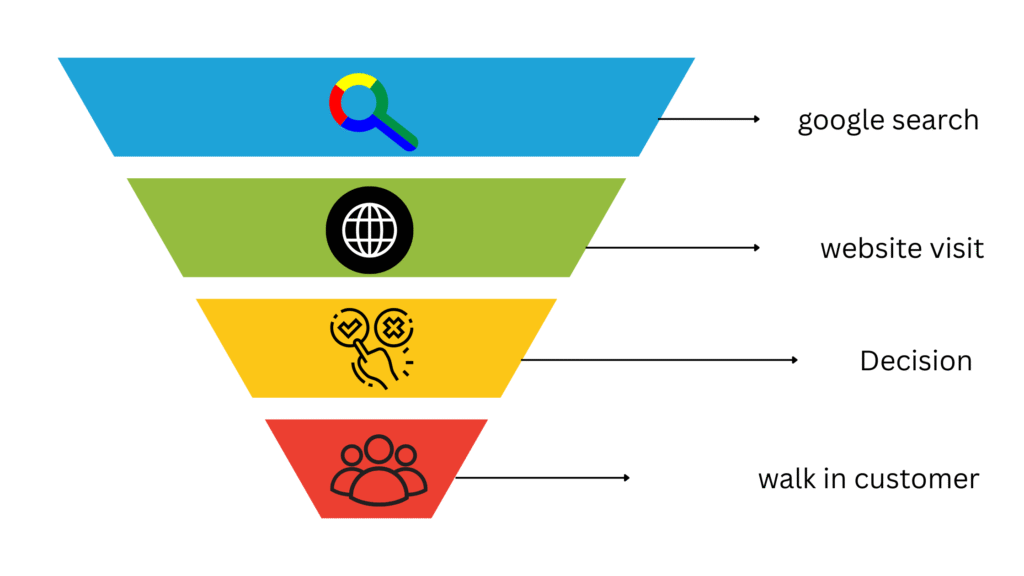
Before someone visits your shop, restaurant, clinic, or studio, they probably:
- Google you or your category, like “coffee shop near me”
- Skim a few websites
- Check reviews and photos
- Decide where to go
If your website is confusing or slow, they don’t complain; they just go somewhere else.
A good website bridges three gaps:
- The trust gap – “Can I trust them with my time and money?”
- The clarity gap – “What exactly do they offer and is it right for me?”
- The friction gap – “How hard is it to visit or contact them?”
When your site closes these gaps, more online visitors turn into in-store visitors without needing bigger ad budgets.
How a Good Website Can Effortlessly Increase Walk-in Customers
The 5 Core Website Elements That Drive More Walk-Ins
1. Local SEO:
People who search “near me” or “your service in your city” are often ready to buy today. If your website is optimised locally, those searches become walk-in customers.
- Use location-focused page titles and headings.
Example:
- “Family Dental Clinic in Austin | Same-Day Appointments”
- “Authentic Italian Restaurant in Chicago – Open Late”
- Add your full Name, Address and Phone properly.
- In the header or footer
- On a dedicated “Visit Us” or “Contact” page
- Exactly matching your Google Business Profile info
- Embed a Google Map on your contact page.
- Reduces friction for directions
- Builds immediate location trust
- Create location-specific content
- “Best Time to Visit Our Store”
- “Neighbourhood Guide: Where to Park When Visiting Our Shop”
- “How We Serve Our Local Community”
You can also check out Google’s own guide on improving local search presence.
2. Clear, Compelling Information:
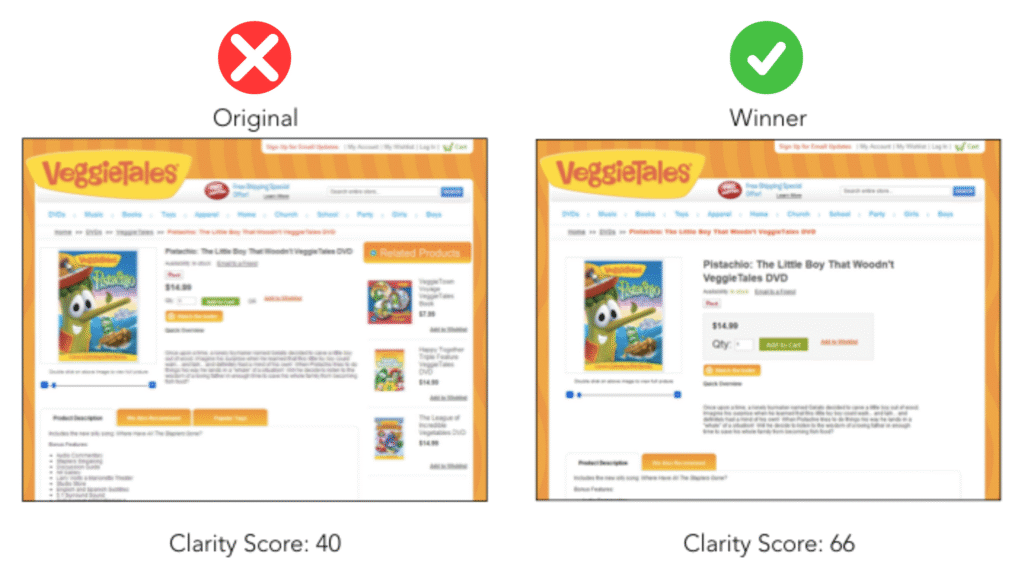
Most websites lose walk-in customers because the information on their website is not clear or hard to find.
To convert online browsers into visitors, your site needs to answer fast:
- Who are you?
- What do you do?
- Who is this for?
- Where are you?
- When are you open?
- Why should they come to you instead of alternatives?
Important information to have on your website:
- Exact address (linked to a map)
- Daily opening and closing hours
- Public transport instructions
- Short, specific description of what you offer
- Clear “Visit Us” button
Local mobile searches result in a visit to a store within 24 hours.
3. Trust Signals:
People don’t visit the closest business; they visit the one they trust most, from what they see online.
A good website stacks trust signals in a way that feels natural but persuasive.
High Impact Elements
- Real customer reviews and testimonials
Pull a few strong reviews from Google, Yelp, or Facebook.
Add faces and first names (with permission)
Highlight ones mentioning “easy to find,” “welcoming,” or “worth the trip”
- Photos of your actual space
Exterior view (so visitors recognise you from the street)
Interior, staff, and “what it’s like” shot
Before/after photos for service-based businesses
- Social proof
- “Serving [City] since [Year]”
- Press mentions, awards, and industry certifications
- Association logos (chamber of commerce, professional bodies)
This article will help you understand the power of reviews and social proof.
An insurance and mutual funds firm was struggling to attract walk-in customers in Jamnagar people People were visiting their website, but there were no walk-in customers. The owner reached out to us and thought there was a location problem. After an audit, we found it wasn’t.
There were no Testimonials or social proofs, no faces. Just a few bullet points about clints.
We added a few testimonials and success stories, short and emotional. Then we photographed the owner, the waiting area filled with customers and the owner consulting a client.
Just after a month walk-in rate increased from 4 per week to 16 a week, and inquiries nearly doubled.
They didn’t change the charges, didn’t run ads or any offers. Just added social proof
ok ko ok kojh bn jh hj jh hj kj hj kjh df g oiu fgh oiu fgh oi fgh oih fgh oi f gh oi hg c g oih fgh o ijhg cg h ijhg cg j hg cg ijhg x cv ijhg cv gh jhg
4. Conversion-Focused Design:
Your website shouldn’t be one-way. You don’t have to just inform people about your business; you have to convert them into customers.
Instead of CTAs like “Learn More,” use action-oriented ones:
- “Plan Your Visit”
- “Get Directions”
- “Book An Consultation”
- “Visit Our Showroom”
Place these in the hero section, in your header and on your contact page.
5. Mobile Experience:
Many of your potential customers are already out, searching on their phones.
If your site loads slowly, is not optimised, or is not providing clear information, they’ll move on to the next result.
Mobile Must-Haves
- Fast load times
- Compress images
- Minimal pop-ups
- Clean layout
- Click-to-call buttons
- Prominent “Get Directions” button that opens Google Maps or Apple Maps
- Big, readable text
- Buttons instead of tiny links
- Key information is easy to see without zooming
local searches happening on mobile and how many lead to visits.
Simple On-Site Tactics
Once your basics are right, a few extra touches can significantly lift walk-ins.
People decide faster when there’s a clear benefit to visit.
Ideas:
- “Today Only: Free Dessert with Any Dine-In Entrée”
- “Walk-In Weekdays: 10% Off In-Store Purchases”
- “Same-Day Appointments Available. Call Before 3 PM”
Keep this on your homepage hero section, on your “Visit Us” page, In a simple banner at the top of key pages.
You can present this as a simple comparison:
Why Visit Us In Person?
Try before you buy
Get instant expert help
Access in-store-only deals
Using Analytics to See If Your Website Is Driving Walk-Ins
You can’t always track walk-ins as cleanly, but you can get close.
Keep an eye on:
- Clicks on “Get Directions” buttons
- Clicks on your phone number (mobile click-to-call)
- Increase in branded searches (people Googling your exact business name)
- Uplift in foot traffic after a website improvement or campaign
Tie time periods together:
You can also read how digital marketing outshines traditional marketing.
ijn jn jn jn jn jn jn jn jn njjn njn njn njn njn njn njn nmjmn njn njn njn njn njn njn njn njn njn njn njn njn njn njn njn njn n njn njn njn nn njn nm n n n n n n nn
Pulling It All Together
If your goal is to increase walk-in customers through your website, focus on these:
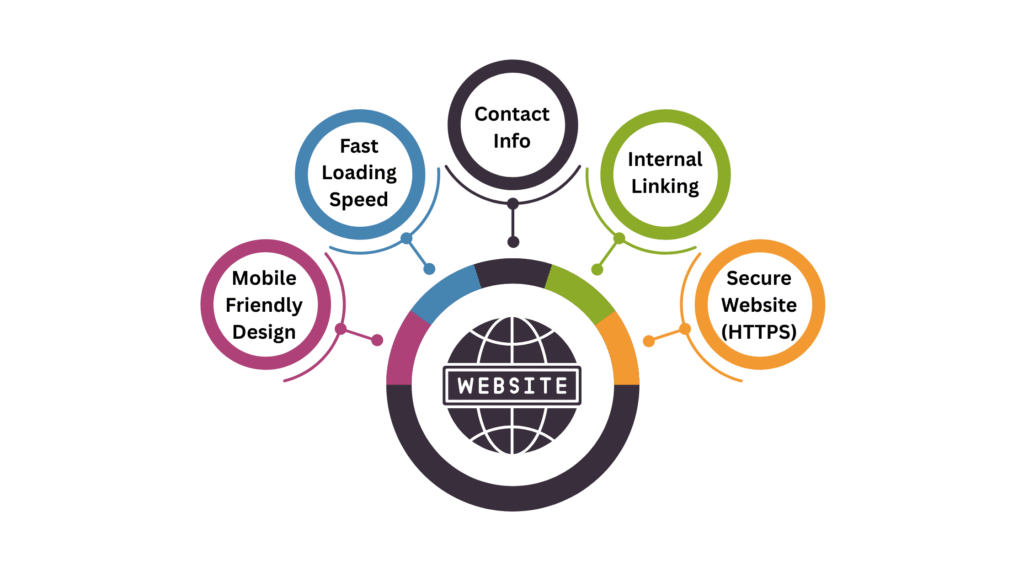
Fix the basics first, like a clear address, business hours, and contact details. Mobile-friendly layout and fast-loading pages
Dial in local SEO, Location-based titles, headings and embedded map
Add trust and experience elements like real photos, testimonials, and “What to Expect” content
Track and refine Directions clicks and calls